
MIN-CV101-TRN-000 / REVISION A DRAFT
Configuration and component orientation
Identify the intended inert fixture, its model revision and the parts that define the retaining decision.
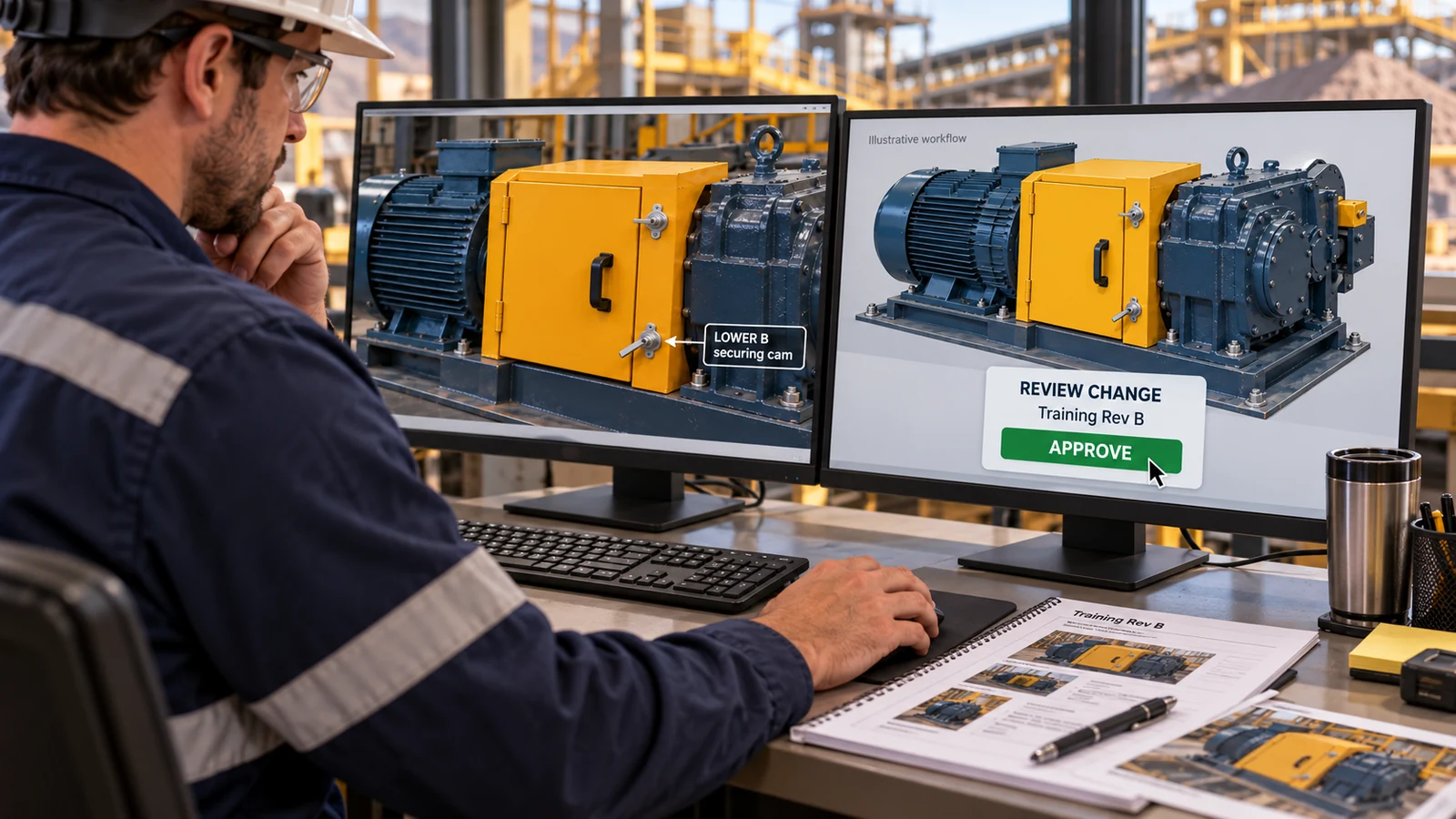
Concept training procedure for an inert fictional fixture. No approved operational SOP supplied. Not an operating instruction.
- Equipment
- CV-101
- Model/configuration
- MIN-CV101-MP2
- Source approval
- No approved operational SOP supplied
- Review owner
- Training and equipment owners to be nominated
- Inert virtual or classroom exercise only.
- Match CV-101 and MIN-CV101-MP2.
- A training reviewer agrees the exercise scope.
TWELVE AUTHORED STEPS
Read the complete training sequence.
Read the training boundary
Confirm this is a fictional inert training concept. Stop if the task has been presented as an instruction for operating equipment.
Confirm equipment identity
Select CV-101. Treat CV-102 as a distractor; do not transfer assumptions between assets.
Confirm model revision
Match MIN-CV101-MP2 and the procedure revision A DRAFT in the task record.
Find motor M101
Identify the static drive motor and distinguish it from the reducer.
Find reducer GB101
Identify the reducer and the adjacent coupling C101 without inferring any live operating state.
Find coupling C101
Use the open inspection view if needed. Both cams must be disengaged for that view.
Identify guard CG101
Locate the left hinge and follow the guard assembly rather than the fixed right frame.
Locate upper cam A
Identify CAM_A on the guard and its separate fixed KEEPER_A.
Locate lower cam B
Identify CAM_B on the guard and its separate fixed KEEPER_B.
Explain the retaining relationship
Describe the tongue behind the fixed keeper face. Visual panel closure alone is insufficient evidence.
Check missing sources
Record that physical units, real dimensions and an approved operating SOP have not been supplied.
Review the orientation record
Confirm asset, revision and both cam/keeper IDs with the training reviewer before beginning the next concept exercise.
REVISIONED DOWNLOADS
Review, annotate and take it to the task owner.
Observed evidence reviewed by a training owner; no competence certification or operating release implied.
Inspect the linked model All training procedures